MICE Solutions · Lead Management
"Track better and grow your business"
Capture leads for events, groups, VISA or hotels. Track your pipeline with a visual Kanban board. Never miss a conversion opportunity again.
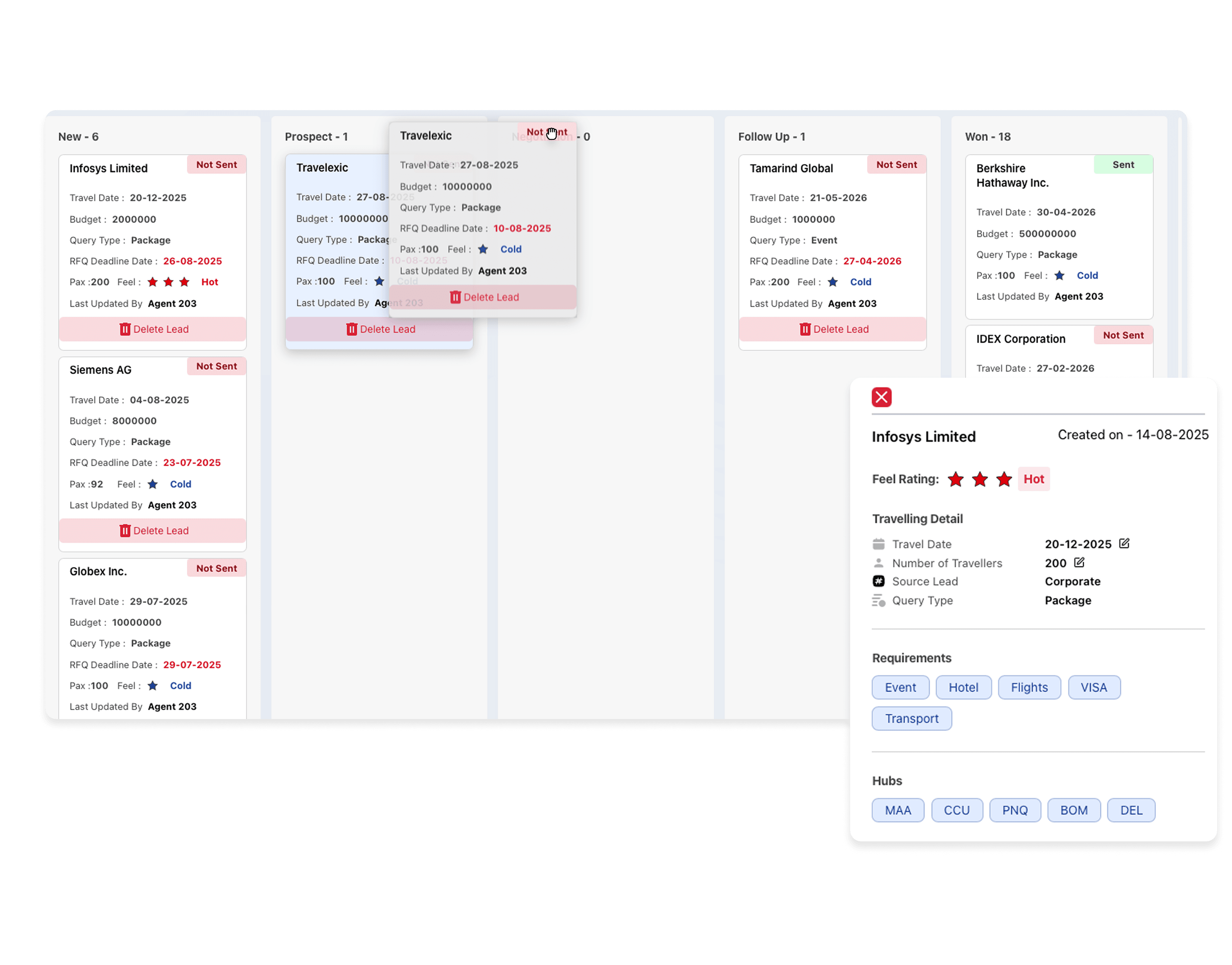
Pipeline View
Full pipeline from RFQ
to confirmed booking
Kanban-style pipeline with custom stages. Every lead has a source, owner, destination, pax count, and travel dates — visible at a glance. No more chasing your team for status updates.
- ✓Custom pipeline stages per business unit
- ✓Source tracking (website, referral, trade show, inbound)
- ✓Bulk actions and filters for team managers
- ✓Conversion analytics by rep, source, and route
Cost Mastering
Build accurate cost sheets
in minutes
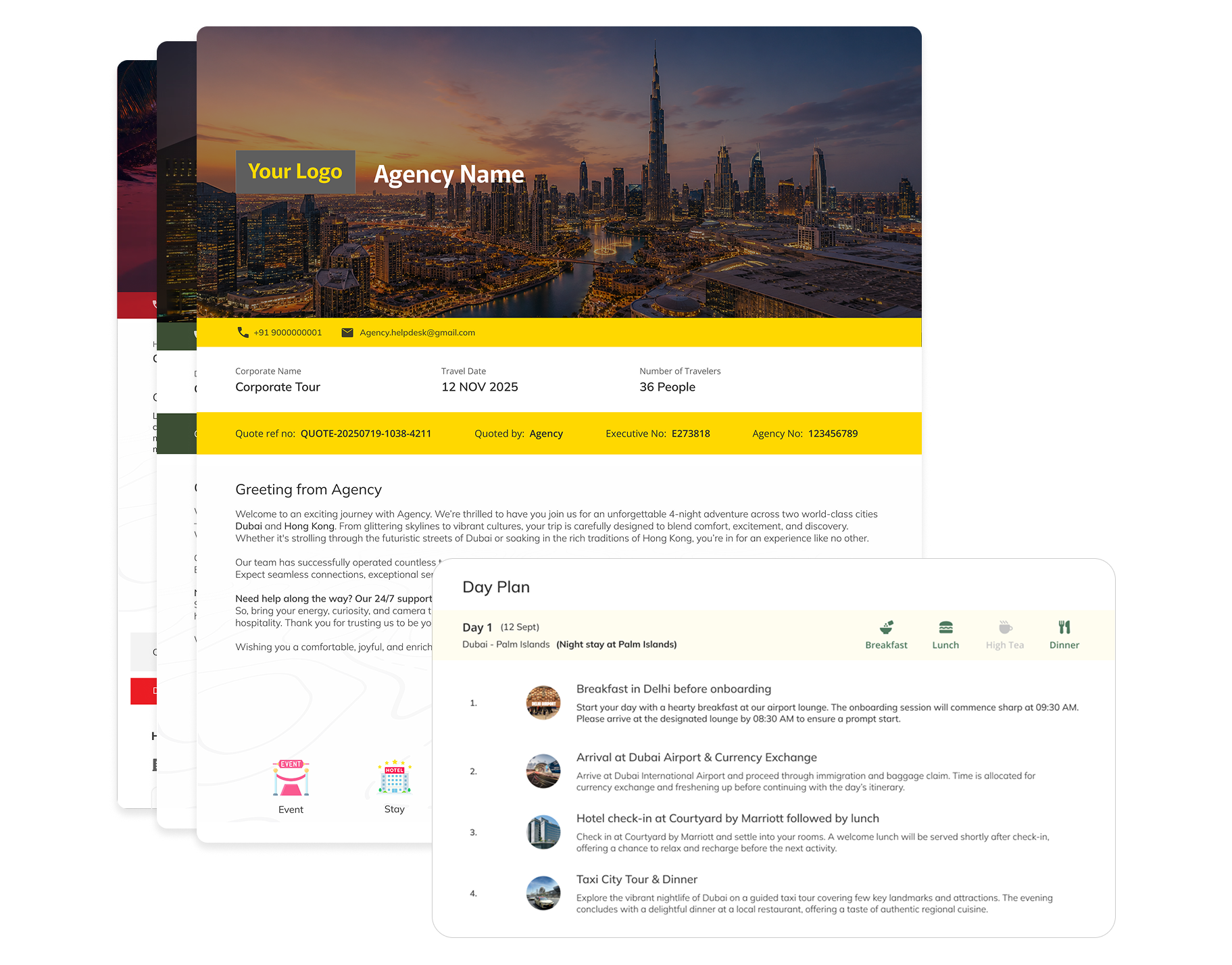
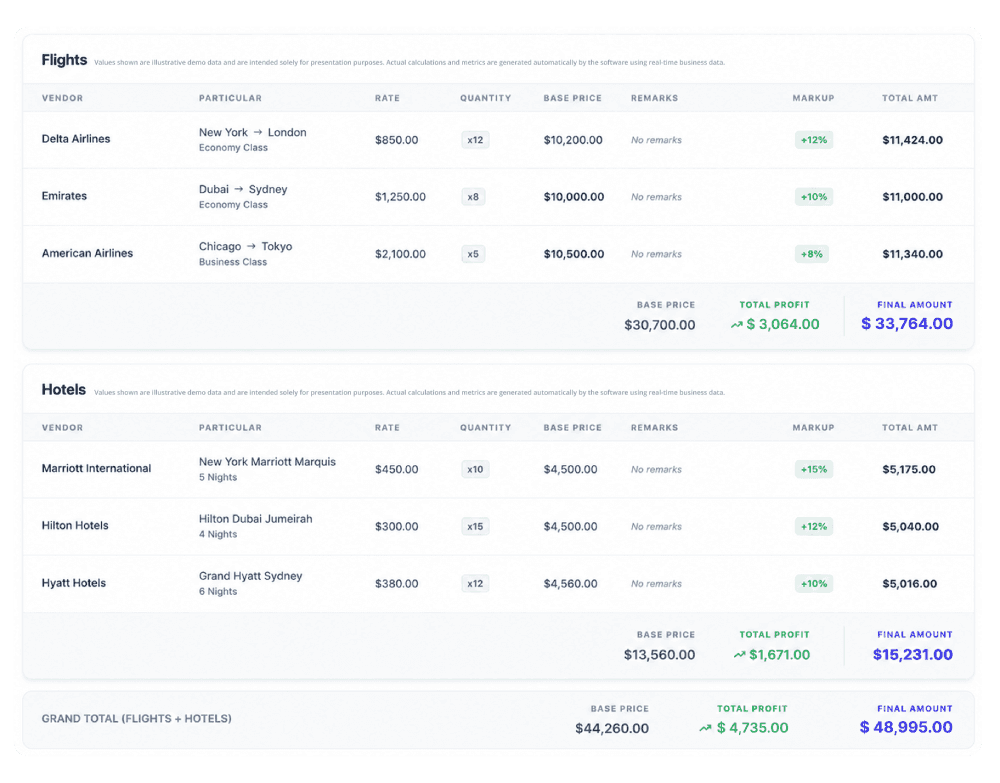
Pull in live supplier rates, add markup rules, and generate a fully itemised cost sheet for any trip — hotels, flights, transfers, activities, and per-pax costs — all from within the lead record.
- ✓Supplier rate card library with version history
- ✓Per-pax and lump-sum cost line items
- ✓Auto-calculated margin and markup display
- ✓Export to Excel or PDF for internal review
Common questions
Frequently Asked Questions
Yes. We support CSV import from any CRM or spreadsheet. Your onboarding specialist will handle the migration and map your existing fields to Travelexic's pipeline during setup.
Leads can be auto-assigned by round-robin, by source, by destination, or by client type. Managers can also manually reassign leads from the dashboard at any time.
Every email, WhatsApp message, and call note can be logged against a lead. The full comms history is visible to any team member — so handovers are seamless and nothing gets lost.
Yes. You can set manual reminders or configure automatic follow-up nudges (e.g., "if no response in 3 days, remind the sales rep"). Reminders appear in the dashboard and optionally via WhatsApp.
Stop losing deals to slow follow-ups
See how Travelexic's lead pipeline helps MICE sales teams close faster with less manual effort.